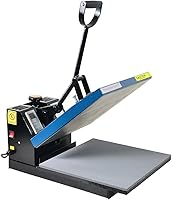
5 Best Heat Presses for a Small Business (October 2026)
The best heat presses for small businesses include the HTVRONT Auto Heat Press 2 15x15 for mixed apparel orders, the HTVRONT Auto Heat Press 15x15 for repeat shirt batches, and the Fancierstudio Digital Heat Press 15x15 for manual shirt workflows.
On this page (9 sections)
- Which is the best heat press for small business orders?
- How should a small business choose platen size?
- Which pressure and heat controls matter for business work?
- Does an automatic heat press help with batch work?
- What workspace and power checks should you make?
- What setup keeps small business orders consistent?
- Which mistakes cause avoidable rework?
- How should you care for a business heat press?
- Which heat press should a small business buy?
The HTVRONT Auto Heat Press 2 15x15 is the best heat press for small business owners who need adjustable pressure and automatic release for varied apparel orders. Choose the Delclynee for oversized artwork, or the original HTVRONT Auto for recurring shirt batches.
Start with the jobs you sell most, rather than the machine with the most features. A press should fit your transfers, your worktable and the way you prepare each order.
Use the heat press size guide to compare platen dimensions with your typical designs. Our guides to the best heat presses for T-shirts and best heat presses for sublimation narrow the choices for those uses.
Our picks at a glance
-
1
-
2

-
3
 Best for manual shirt workflows
Fancierstudio Digital Heat Press 15x15
8.0/10 our score
See it on Amazon
- 4
 Check it
Delclynee 16x24 Slide-Out Clamshell
Best for oversized print orders - 5
 Check it
HTVRONT 15x15 Swing-Away Press
Best for careful transfer placement
Which is the best heat press for small business orders?
The HTVRONT Auto Heat Press 2 is the strongest all-around choice here for a shop handling different apparel jobs. Its combination of pressure control and automatic operation addresses both material changes and repeated pressing cycles.
NiftyNotch compared these presses by transfer area, loading access, pressure control and workflow features. The right choice depends on your order mix, so a larger or lower-scoring press can still be the better fit for a specific shop.
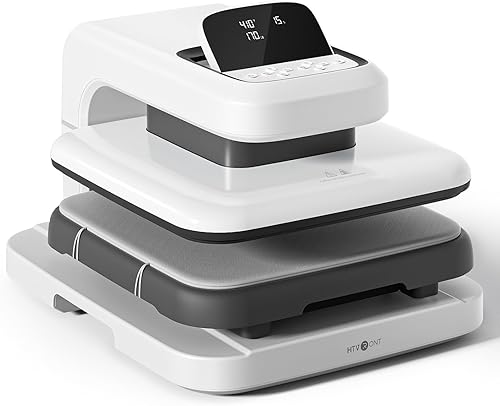
HTVRONT Auto Heat Press 2 15x15
- 15 x 15 in platen
- Automatic pressing and release
- Adjustable pressure up to 170 lb
- Clearance for items up to 1.77 in high
Automatic release and adjustable pressure suit a shop moving between shirts, hoodies and DTF orders.
Pros
- Adjustable pressure for different transfer requirements
- Automatic pressing and release
- Extra clearance for thicker projects
Cons
- Oversized artwork may exceed its platen
- Pressure settings still need to match each transfer
The HTVRONT Auto Heat Press 2 15x15 suits a business moving between shirts, hoodies and different transfer requirements. After you select the settings and start the cycle, it presses and releases automatically.
Pressure adjusts up to 170 lb, and the machine accommodates projects up to 1.77 in high. HTVRONT identifies DTF work and hoodies as uses, making this the first option to consider when your garment mix extends beyond thin shirts.
That extra clearance does not make every thick garment easy to press. Keep pockets, zippers and bulky seams outside the transfer area whenever possible, and adjust the setup for the actual print surface.
Choose this model if you need pressure adjustment without manually handling each pressing cycle. Skip it if your regular artwork exceeds the platen, because automatic operation cannot solve a size mismatch.
Its body measures 20.9 x 17.1 x 13 in. Plan additional working room for loading, garment overhang and a nearby surface for finished pieces.
HTVRONT Auto Heat Press 15x15
- 15 x 15 in platen
- Auto adjusts to projects up to 1 in thick
- Automatic release
- 4 fast modes, 2 custom modes and an auto mode
Custom modes help organize recurring jobs, while automatic pressing and release handle each timed cycle.
Pros
- Automatic pressing and release
- Custom modes for recurring settings
- Slide-out loading area
Cons
- 1 in project thickness limit
- Thickness adjustment is different from selectable pressure
The HTVRONT Auto Heat Press 15x15 suits a shop repeating a familiar group of shirt or tote jobs. Its 4 fast modes, 2 custom modes and auto mode give recurring work a place in the controls.
The lower board slides out for loading, and the machine handles pressing and release after you start it. Automatic thickness adjustment accommodates projects up to 1 in thick.
Choose it when convenient cycles matter more than selecting a specific pressure setting. Do not treat thickness adjustment as the same feature as the top pick's adjustable pressure.
For example, a shop using the same transfer family on similar shirts may benefit more from a repeatable loading routine than from changing settings often. You still need to confirm that the chosen process meets the transfer supplier's requirements.
Skip this model when thicker projects are central to your catalog or your transfers require pressure control that you cannot confirm it provides. HTVRONT says it reaches 320 °F in 4 minutes, which gives you a warm-up reference when planning short work sessions.
Fancierstudio Digital Heat Press 15x15
- 15 x 15 in platen
- Electronic time and heat control
- Adjustable pressure
- 110 V, 1800 W
An upward-opening design and adjustable pressure suit an operator who wants direct control over routine garment jobs.
Pros
- Electronic time and heat controls
- Adjustable pressure
- Coated heat platen and included press sheet
Cons
- 33 x 23 x 20 in overall dimensions need bench space
- Confirm the supported temperature range for unusual applications
The Fancierstudio Digital Heat Press 15x15 suits an operator who wants a conventional upward-opening press with electronic time and heat controls. Adjustable pressure lets you change the setup as your transfer or garment changes.
It includes a press sheet, a Teflon-coated heat platen and a glued-down silicone rubber base. Keep the supplied sheet clean, and use protective materials according to the transfer instructions.
Choose it for regular shirt-sized work when you are comfortable managing the pressing cycle yourself. Skip it if automatic release is a main reason for buying a new machine.
Allow for its 33 x 23 x 20 in overall dimensions and check the electrical supply against its 110 V, 1800 W requirements. An upward-opening design still needs clear space above the press and around the loading area.
Fancierstudio provides conflicting upper-temperature figures, so confirm the supported range before choosing it for an unusual high-heat application. The highest possible setting should never determine your transfer recipe; the garment and transfer instructions should.
Delclynee 16x24 Slide-Out Clamshell
- 16 x 24 in platen
- Slide-out lower platen
- Adjustable pressure
- Threadable workspace
The larger platen suits oversized artwork, while the threadable lower workspace helps isolate a garment's print side.
Pros
- Largest platen in this group
- Slide-out access for garment placement
- Threadable workspace and fitted lower pad cover
Cons
- Needs clearance for 12.25 in of drawer travel
- Extra platen area may be unnecessary for small logos
The Delclynee 16x24 Slide-Out Clamshell is the choice for a business that regularly sells oversized prints. Its 16 x 24 in platen gives larger artwork room to lie within a single pressing area.
The lower platen extends 12.25 in for loading. Clearance beneath it lets you thread a shirt over the board, separating the print side from the back of the garment.
That access is useful when seams, fabric folds or previously applied artwork would otherwise sit under the print area. Delclynee also includes a fitted lower pad cover and says the floating upper platen helps balance pressure over uneven or thicker materials.
Choose it when large prints are part of your normal order book. Skip it if almost every job is a small chest logo and your bench space is limited.
Map out the full drawer movement before ordering, including the space where you will stand and hold the garment. A large platen only helps if you can load it without bunching fabric or blocking the drawer.
HTVRONT 15x15 Swing-Away Press
- 15 x 15 in platen
- 180-degree swing-away plate
- Adjustable pressure
- Automatic shutoff after 15 minutes idle
The upper plate moves aside for transfer alignment, making this a useful choice for varied custom orders.
Pros
- Upper plate swings clear for loading
- Adjustable pressure
- Separate control panel
Cons
- Needs side clearance for the hot plate
- No automatic pressing and release cycle
The HTVRONT 15x15 Swing-Away Press suits custom work where access for careful placement takes priority over automatic cycles. Its upper plate swings 180 degrees aside, leaving the lower work area open for positioning.
An adjustable pressure knob lets you change the setup for different materials. The separate control panel has a 1 m cable, so you can place the controls away from the immediate pressing area.
Choose this design if you often pause to align names, logos or several small elements. The open loading position gives you room to arrange those details before bringing the upper plate back.
Skip it on a narrow bench where the hot plate's swing would cross another work area or a walkway. You need space for the whole motion, plus room to keep loose transfers and finished garments clear.
Its operating range is 104–410 °F, and it shuts off after 15 minutes of inactivity. That shutoff is a backup feature; remain nearby during use and turn the machine off when the job is finished.
How should a small business choose platen size?
Choose a 15 x 15 in platen when your regular designs fit inside it with room for correct placement. Move to a larger plate when oversized artwork is a recurring paid job rather than a possible future project.
Measure actual transfer sheets, including the largest back print you plan to sell. Check the garment too, because a design can fit the plate while a pocket or seam prevents flat contact.
For an apparel business, build a short list of common jobs: chest logos, full-front prints, back designs and hoodie graphics. Mark which ones fit without folding or repositioning the transfer.
Avoid planning a business workflow around overlapping presses on one large design. Reheating part of a transfer can affect its appearance or bond, and some transfer methods require the whole design to receive heat together.
The Delclynee makes sense when its extra area removes that problem. For a shop focused on smaller designs, a larger machine can consume useful loading and packing space without improving the work.
Read what size heat press you need if your catalog includes several garment sizes. Choose around the largest design you regularly sell, rather than assuming larger shirts always require larger graphics.
Which pressure and heat controls matter for business work?
Choose controls that can meet your transfer supplier's requirements, then consider convenience. Pressure, temperature and time work together, and changing one does not reliably compensate for getting another wrong.
Choosing the best heat press for small business transfer needs
Pressure adjustment matters most when you switch between transfer types, garment thicknesses or pressing setups. A machine that closes successfully has not necessarily applied the right pressure to the design.
A stated maximum pressure is not a setting to use for every order. Follow the transfer instructions and the press manual, and remember that padding or a thicker garment changes the way the press closes.
For DTF work, read what heat press you need for DTF transfers before choosing around automation alone. Peel timing and any required finishing press are part of the process too.
Temperature range also needs context. A very high maximum is of little value if your materials require a lower setting, and excess heat can scorch fabric or damage a transfer.
Keep a separate recipe for each transfer and garment combination. Include pressure guidance, peel method and any cover sheet, rather than recording only a temperature and timer value.
Does an automatic heat press help with batch work?
An automatic press helps when managing repeated press cycles is slowing you down. It has less effect when most of your time goes into cutting, weeding, artwork approval or packaging.
Map the full order before choosing. Count the steps from sorting garments through alignment, pressing, peeling, checking and packing, then identify where work waits.
Automatic release can let you prepare the next garment nearby while the current cycle runs. It does not load the next piece, confirm placement or remove the finished transfer carrier.
Custom modes are useful for recurring settings, but label your written recipes clearly. A saved setting for one shirt and transfer combination may be wrong for a similar-looking order.
Do not choose a press from a promised shirt count alone. Real output depends on print locations, peel instructions, extra press steps and how quickly you can prepare each piece.
A batch with front and back graphics needs more handling than a batch with one chest logo. Plan capacity from the work you actually sell and leave time for checking finished items.
What workspace and power checks should you make?
Plan a stable bench, clear movement paths and a suitable electrical supply before the press arrives. The machine's footprint is only part of the space it needs.
Make a paper outline of the press on your table, then mark the drawer, upper opening or side swing. Include room for your body and for the garment to hang without catching on nearby items.
Keep blank garments on one side and completed pieces on another. This simple flow reduces the chance of pressing the wrong shirt or placing a finished design back under the plate.
Use a bench that supports the machine's weight and stays steady during loading and closing. Keep the hot plate and its movement away from shelves, loose packaging and busy walkways.
Check the manual's electrical requirements and the circuit serving your work area. Other high-power equipment on the same circuit can affect what the setup can support.
Do not assume a travel adapter or ordinary power strip makes an unsuitable supply acceptable. If the circuit or connection is unclear, have an electrician check it before use.
Compare the heat press machine types and sizes for a broader view of equipment layouts. Our guide to choosing a heat press helps turn those space and workflow limits into a shortlist.
What setup keeps small business orders consistent?
Use a written job recipe and a prepared sample before running customer garments. Consistency comes from repeating the whole process, including placement and peel timing.
Start with the transfer supplier's instructions and confirm that the garment is suitable for that method. Sublimation, HTV and DTF have different material and process requirements.
Prepare the work in this order:
- Check the order. Confirm garment sizes, quantities, artwork and print locations.
- Inspect the blanks. Look for marks, seams or defects that affect the print area.
- Warm up the press. Let it reach the required setting according to its manual.
- Prepare the garment. Remove lint and pre-press only as directed for the transfer and material.
- Align the design. Use a placement reference suited to that garment style.
- Press and peel as directed. Follow any required finishing step.
- Check the result. Review placement, edges and fabric condition before continuing.
Keep seams, collars and zippers from lifting the transfer area away from the lower surface. Where appropriate, use a pressing pad or pillow suited to the job and adjust pressure for the changed thickness.
Read the heat press temperature and time guide before working with a new material. Our how to use a heat press guide covers the basic pressing sequence.
Record the garment, transfer, settings and placement measurements together. Keep a photo of the approved layout so repeat orders do not depend on memory.
Which mistakes cause avoidable rework?
The most costly mistakes are using the wrong recipe, pressing over raised fabric and rushing the peel. A more expensive machine cannot correct those process errors.
Do not carry settings from one transfer brand or material to another without checking instructions. Similar-looking films or garments may need different heat, pressure or handling.
Avoid pressing directly over seams and pockets when they prevent flat contact. More pressure across the whole garment can leave marks without fixing the uneven print area.
Keep transfer carriers still while loading and unloading. Movement can shift artwork, and sublimation work is especially sensitive to unwanted movement while hot.
Follow the specified hot, warm or cold peel method. Pulling a carrier early can lift a design even when the press settings were otherwise correct.
If a transfer fails, stop the batch and review one factor at a time. Raising temperature, time and pressure together makes it harder to identify the cause and may damage more garments.
Avoid stacking hot finished pieces immediately. Give them room to cool as the transfer instructions require, then inspect and pack them with the correct care information.
How should you care for a business heat press?
Keep the platen, lower pad and moving parts clean and in proper condition. A small amount of residue or a damaged pad can affect many garments before the cause becomes obvious.
Follow the manual for shutdown, cooling and cleaning. Unplug the press before maintenance, and use only cleaning methods suitable for its surface and coating.
Check for adhesive, ink or lint before starting a new order. Use clean protective sheets when required, and replace any sheet that could transfer residue to another garment.
Inspect the lower pad for damage, shifting or debris. Do not add random layers to hide a worn area, because extra padding changes the pressing setup.
Keep drawers and swing paths clear, and check cords for damage. Lubricate or adjust moving parts only as directed by the manufacturer.
Build a brief inspection into the start of each work session. Catching a dirty surface or loose pad before loading a customer shirt is easier than dealing with a batch of marked garments.
Which heat press should a small business buy?
The best heat press for small business work is the one that fits your regular orders without awkward workarounds. Use your main job type to make the final choice.
- Mixed apparel and changing pressure needs: Choose the HTVRONT Auto Heat Press 2.
- Recurring shirt batches with familiar settings: Choose the original HTVRONT Auto.
- Conventional manual garment work: Choose the Fancierstudio.
- Regular oversized designs: Choose the Delclynee.
- Custom placement with room beside the bench: Choose the HTVRONT Swing-Away.
Before ordering, confirm your largest transfer, loading clearance and electrical supply. To settle the remaining layout choice, read clamshell, swing-away and auto heat presses explained.
Our top 3 picks at a glance
-
1
-
2
-
3
Best for manual shirt workflows
Fancierstudio Digital Heat Press 15x15
8.0/10 our score
See it on Amazon
Frequently asked questions
What size heat press is best for a small business?
A 15 x 15 in press is a useful starting size when your regular shirt designs fit inside that area; choose a larger platen for recurring oversized artwork. Measure actual transfers and garment placement needs before buying, then allow bench space for loading and the press's full movement.
Is an automatic heat press worth it for a small business?
An automatic press is worth considering when repeated pressing cycles interrupt garment preparation or other nearby work. Automatic release ends the timed press cycle, but you still load, align and inspect each piece; compare the time spent at the press with the time spent preparing transfers before choosing.
Should a small business choose a swing-away or clamshell press?
Choose a swing-away press for open access to the lower platen, provided your bench has room beside the machine; choose an upward-opening clamshell when that movement fits your work area better. A slide-out lower platen adds loading access, but its drawer also needs clear space in front.
What should a small heat press business check before buying?
Check your largest regular transfer, required pressure, work area and electrical supply before comparing convenience features. Match the press to the orders you can already describe, including garment materials and transfer types; then decide whether automatic release, saved settings or a larger loading area addresses your main production delay.
Can these heat presses handle DTF transfers?
HTVRONT identifies the Auto Heat Press 2 as suitable for DTF projects, and it provides adjustable pressure. Match every transfer to its supplier's time, temperature, pressure and peel instructions; do not assume an automatic thickness adjustment provides the required pressure, or use one set of settings for every DTF transfer.