6 Best Heat Presses for T-Shirts (October 2026)
The best best heat presses for T-shirts include the HTVRONT Auto Heat Press 2 15x15 for mixed shirt projects, the HTVRONT Auto Heat Press 15x15 for repeat shirt batches, and the Fancierstudio Digital Heat Press 15x15 for manual workflow fans.
On this page (14 sections)
- Which heat presses for T-shirts made our shortlist?
- How do these T-shirt heat presses compare?
- Best heat press for T-shirts with adjustable pressure
- Best automatic heat press for repeat shirt batches
- Best manual heat press for T-shirts
- Best HTVRONT heat press for a pink shirt-making space
- Best 5-in-1 heat press for mixed gift projects
- Best swing-away heat press for shirts and mugs
- How do you choose the best heat press for T-shirts?
- How should you set up a T-shirt pressing station?
- How do you get a clean transfer on your first shirt?
- Which common T-shirt pressing mistakes should you avoid?
- How do you care for a T-shirt heat press?
- Which heat press should you choose for T-shirts?
The HTVRONT Auto Heat Press 2 15x15 is the best heat press for T-shirts for most buyers because it pairs adjustable pressure with automatic pressing and release. Choose Fancierstudio for a manual workflow, or a 5-in-1 set if you have clear plans for other craft blanks.
Start with the largest design you want to apply, then consider pressure control and how you'll load each shirt. A machine that fits your artwork and workbench is more useful than extra attachments you won't use.
Our heat press size guide helps you match the platen to your artwork. For the broader buying decisions, see our guide to choosing a heat press.
Our picks at a glance
-
1
-
2

-
3
 Best for manual workflow fans
Fancierstudio Digital Heat Press 15x15
8.0/10 our score
See it on Amazon
- 4
 Best for pink craft roomsCheck it
 - 5
 Best for mixed gift projectsCheck it
 - 6
 Check it
VEVOR 12x15 5-in-1 Swing-Away Press
Best for shirt-and-mug crafters
Which heat presses for T-shirts made our shortlist?
The HTVRONT Auto Heat Press 2 leads because it combines pressure adjustment with an automatic cycle. The other picks serve more specific needs: saved settings, manual operation, a pink workspace or mixed craft projects.
NiftyNotch compared platen size, pressure controls, loading style and included attachments. Scores reflect how those features suit shirt-making needs, with shirt-focused machines placed ahead of sets whose main benefit is accessory work.
The wider T-shirt heat press guide provides category context. Our guide to heat press machine types also explains how flat presses differ from machines made for curved blanks.
How do these T-shirt heat presses compare?
Choose between a shirt-focused press and a multi-use set first. Then compare pressure adjustment and release style, since those features affect every shirt you make.
The first 4 options have larger flat work areas than the 2 attachment sets. Extra attachments help with different blanks, but they don't improve the shirt platen itself.
| Product | Best for | Platen | Pressing | Pressure | Our score |
|---|---|---|---|---|---|
| HTVRONT Auto Heat Press 2 15x15 | mixed shirt projects | 15 x 15 in | Automatic press and release | Adjustable up to 170 lb | 8.6 |
| HTVRONT Auto Heat Press 15x15 | repeat shirt batches | 15 x 15 in | Automatic press and release | Automatic thickness adjustment | 8.3 |
| Fancierstudio Digital Heat Press 15x15 | manual workflow fans | 15 x 15 in | Manual upward-opening press | Adjustable | 8.0 |
| HTVRONT 15x15 Heat Press | pink craft rooms | 15 x 15 in | Automatic press and release | Automatic thickness adjustment | 7.9 |
| Slendor 12x15 5-in-1 Press | mixed gift projects | 12 x 15 in | Manual swing-away press | Adjustment knob | 7.3 |
| VEVOR 12x15 5-in-1 Swing-Away Press | shirt-and-mug crafters | 12 x 15 in | Manual swing-away press | Adjustment knob | 6.9 |
Best heat press for T-shirts with adjustable pressure
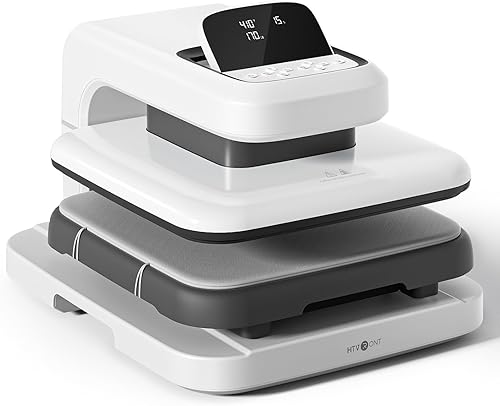
The HTVRONT Auto Heat Press 2 suits buyers who switch between different transfers and garment thicknesses. Its main advantage is control over pressure without giving up an automatic pressing cycle.
HTVRONT Auto Heat Press 2 15x15
- 15 x 15 in platen
- Adjustable pressure up to 170 lb
- Automatic press and release
- Height clearance up to 1.77 in
Choose this automatic press when your work includes different transfer materials and thicker garments. Adjustable pressure gives you more control as projects change.
Pros
- User-adjustable pressure
- Automatic pressing and release
- Extra clearance for thicker garments
Cons
- Heavy for frequent moves
- Needs a permanent work area with loading room
Pressure adjusts up to 170 lb, while the machine allows projects up to 1.77 in high. That combination makes it the strongest fit here for a mix of tees, thicker sweatshirts and DTF projects with specific pressure requirements.
After setting the parameters, you start the cycle with the R button. The press releases when the timer ends, reducing the repeated lifting involved in a manual workflow.
The adjustable screen can help you read the controls from your working position. HTVRONT also includes an inactivity shutoff, though you should stay nearby throughout a hot pressing session.
Buy this model when flexibility matters more than portability. It weighs 21.54 kg, so plan a stable home for it rather than carrying it between rooms for every project.
Skip it if you only want occasional small transfers and must pack everything away afterward. Its extra clearance also won't solve a raised seam under your design; the pressing surface still needs to lie flat.
Best automatic heat press for repeat shirt batches
The HTVRONT Auto Heat Press 15x15 fits buyers who repeat familiar shirt-and-transfer combinations. Saved settings and automatic release support a steady routine without requiring a manual closing step for every garment.
HTVRONT Auto Heat Press 15x15
- 15 x 15 in platen
- Auto-adjusts for items up to 1 in thick
- Four fast modes and two custom modes
- Automatic release
Preset and custom modes suit recurring shirt designs with familiar transfer instructions. Pick it when repeat settings matter more than user-adjustable pressure.
Pros
- Saved modes for recurring work
- Automatic release
- Slide-out loading board
Cons
- Less clearance than the top pick
- HTVRONT specifies a 30-day warranty
This model offers 4 fast modes, 2 custom modes and an auto mode. Use custom settings for transfer materials you know, and keep a written note of the garment, pressure guidance and peel method that belong with each setup.
Its slide-out board gives you a loading area before the project moves into the press. Automatic thickness adjustment accommodates items up to 1 in thick, but that feature differs from choosing your own pressure level.
Choose it for repeated designs on similar garments, especially if you're preparing the next shirt between cycles. Keep the machine in view and avoid letting batch speed rush your alignment.
Skip it if your transfer work depends on changing a specific pressure setting by hand. The top pick gives you that control and more height clearance.
HTVRONT specifies a 30-day warranty for this model, which deserves attention if support coverage influences your choice. Read our HTVRONT heat press guide before setting up your first workflow.
Best manual heat press for T-shirts
The Fancierstudio Digital Heat Press 15x15 suits buyers who want to set pressure and manage the full pressing cycle themselves. Choose it if opening and closing the press is a comfortable part of your routine.
Fancierstudio Digital Heat Press 15x15
- 15 x 15 in platen
- Electronic time and heat control
- Adjustable pressure
- Upward-opening design
This press suits buyers who want to adjust pressure and handle each closing and opening step themselves. Its upward-opening layout needs clear space above the workbench.
Pros
- Manual pressure adjustment
- Electronic time and heat controls
- Included sheet and coated platen
Cons
- Requires manual opening and closing
- Needs overhead clearance
Electronic time and heat controls handle the settings, while pressure remains adjustable. This arrangement makes sense when you prefer direct control over each garment rather than an automatic cycle.
Its upward-opening design avoids the side sweep of a swing-away platen. You still need space above the machine and enough room to load shirts without brushing the heated surface.
The dimensions are 33 x 23 x 20 in, so measure the intended bench rather than judging fit from platen size alone. Include space for loose fabric and a clear spot for finished shirts.
Fancierstudio includes a sheet and a Teflon-coated platen. Use covers only as directed for your transfer, since an added layer can change how heat reaches the adhesive.
Buy it for a dedicated shirt station with manual operation. Skip it if repeated handle work is something you want to avoid or if shelves limit opening clearance.
Our comparison of clamshell, swing-away and auto heat presses explains how those layouts change loading access.
Best HTVRONT heat press for a pink shirt-making space
The pink HTVRONT 15x15 Heat Press suits buyers who want automatic operation in a coordinated craft room. Its color is the clearest reason to favor it over another automatic model with similar core features.
HTVRONT 15x15 Heat Press
- 15 x 15 in platen
- Automatic press and release
- Handles items up to 1 in thick
- Four fast modes and two custom modes
This pink automatic press fits a dedicated craft room where appearance and repeat settings both matter. Choose the top pick instead if you need user-adjustable pressure.
Pros
- Automatic release
- Preset and custom modes
- Drawer-style placement plate
Cons
- Less clearance than the top pick
- Needs room in front for loading
It combines automatic pressing and release with 4 fast modes and 2 custom modes. A drawer-style placement plate lets you arrange the shirt before moving it into the pressing area.
The press adjusts to items up to 1 in thick. Choose it for regular tees and compatible flat projects, rather than buying it for the extra height offered by the Auto Heat Press 2.
An automatic mode supports recurring work, but you still need to confirm each shirt's placement. Folded fabric, a crooked transfer or the wrong saved setting won't be corrected by an automatic cycle.
Buy it if the pink finish matters and its control options match your plans. Skip it if user-adjustable pressure is a requirement; that is a stronger reason to choose a machine than color.
Use model number SG-RYJ-0455-US to distinguish it from the other HTVRONT options. Our HTVRONT Auto Heat Press 2 review covers the alternative when pressure control is your deciding feature.
Best 5-in-1 heat press for mixed gift projects
The Slendor 12x15 5-in-1 Press fits crafters who plan to make shirts, tumblers, hats and plates. Buy it for that mix of projects rather than for shirts alone.
Slendor 12x15 5-in-1 Press
- 12 x 15 in platen
- Swing-away design
- Hat, tumbler and plate attachments
- Digital time and temperature controls
Choose this set when shirts are only part of your gift-making plans. Its tumbler, hat and plate attachments add options, with extra setup and storage to manage.
Pros
- Tumbler attachment included
- Heated platen swings aside for loading
- Counting function for batches
Cons
- Narrower shirt area than the top picks
- Attachment changes interrupt shirt work
Its set includes a shirt press, a hat attachment, a tumbler attachment and 2 plate presses. The heated platen swings aside, giving you access to the flat loading area.
The tumbler attachment supports compatible 11–30 oz skinny tumblers and straight mugs, with a 2.65–3.4 in diameter range and a 10.6 in heating length. Check both shape and dimensions before choosing blanks.
For shirts, the trade-off is a narrower platen than the shirt-focused picks. A design that stretches across a large adult tee may matter more to your work than several accessory options.
Digital controls handle time and temperature, and a pressure knob adjusts the closing pressure. The counting function can help you track completed items in a batch.
Choose it for varied personal gifts or small runs across several blank types. Skip it if most of your work is large shirt graphics, or if you lack storage for attachments between projects.
Our hat heat press guide explains why curved blanks need their own positioning and setup.
Best swing-away heat press for shirts and mugs
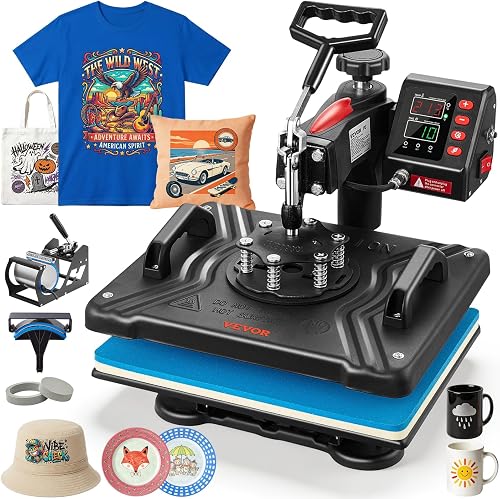
The VEVOR 12x15 5-in-1 Swing-Away Press suits buyers making smaller shirt designs alongside compatible mugs and hats. Its accessory mix makes more sense for a varied craft desk than a shirt-only station.
VEVOR 12x15 5-in-1 Swing-Away Press
- 12 x 15 in platen
- 360-degree swing-away design
- Hat, mug and plate attachments
- Temperature and timer controls
This set fits crafters making smaller shirt designs alongside compatible mugs, hats and plates. Choose Slendor instead if taller skinny tumblers are central to your plans.
Pros
- Includes mug, hat and plate attachments
- Adjustable pressure
- Heated platen swings away from loading area
Cons
- Narrower shirt area than the top picks
- Mug attachment is sized for 11 oz mugs
The set includes an 11 oz mug attachment, a 6 x 3 in hat press and plate attachments for 5 and 6 in maximum diameters. Those shapes and sizes define which extra projects it can handle.
Don't choose it assuming the mug attachment replaces the Slendor tumbler attachment. Start with the blanks you want to decorate, then match their dimensions and shape to the correct attachment.
The swing-away platen moves the heated surface away from the loading area. You need clear side space for that movement, including a safe place for the hot platen while arranging your shirt.
A pressure knob and digital temperature and timer controls let you set the process for each material. An audible signal marks the end of the timed cycle, so remain ready to open the press.
Buy it for mixed crafts with modest shirt graphics. Skip it for large transfers or a narrow workbench boxed in by shelves.
If you're comparing ways to produce repeated shirt designs, our heat press vs screen printing guide explains the wider workflow choices.
How do you choose the best heat press for T-shirts?
Choose by design size, transfer requirements and daily workflow, in that order. Accessories and appearance should come after those basics.
Match the best T-shirt heat press to your largest design
Measure the full transfer you want to apply in one press. Include separate words, numbers or graphic elements that must receive heat together.
A chest logo and an oversized back graphic create very different size needs. Measure the artwork itself instead of using the shirt's labeled size as a shortcut.
Avoid planning to cover an oversized transfer with several overlapping presses unless the transfer supplier allows it. Reheating part of a design can affect its finish, while an unpressed strip may fail to bond.
If your artwork exceeds every platen here, look for a larger machine. Buying a smaller press and hoping to work around it adds a constraint to every large shirt order.
Choose pressure control for your transfer method
Pressure must match the transfer instructions, just like time and temperature. More pressure isn't automatically better, and a machine's maximum force isn't a target for every garment.
HTV, DTF and transfer papers can have different pressure needs. If you buy ready-made transfers, check those instructions before choosing a press, especially when the supplier calls for firm pressure.
Automatic thickness adjustment simplifies setup, but it doesn't give you the same choice as user-adjustable pressure. The distinction matters most when you switch between materials with different application requirements.
Sublimation adds another buying check: the shirt must suit the ink process. A heat press alone doesn't make ordinary dark cotton tees suitable for standard sublimation.
Decide what automation should do for you
Choose automatic pressing if repeated closing and opening is work you'd prefer the machine to handle. Choose manual operation if you want to manage each cycle directly and are comfortable using the handle.
An automatic release helps end contact at the set time. You still need to handle hot garments carefully and follow the required peel method.
For batches, think about the steps around pressing too. Sorting sizes, checking designs and setting aside completed shirts can take more attention than the press cycle itself.
Buy attachments for planned projects
Choose a multi-use set when you can name the blanks you'll actually use. A plan to make compatible mugs next month is a better reason than a vague hope of trying every craft later.
Attachment swaps add setup time and create parts to store. Group similar projects together so you aren't repeatedly switching between shirts and curved blanks.
For a shirt-only business or hobby, prioritize the flat pressing area and comfortable loading access. Extra accessories won't compensate for a platen that doesn't fit your main designs.
How should you set up a T-shirt pressing station?
Set up on a stable, heat-resistant work surface with room to load, open and unload the machine. The press must stay secure while drawers slide, handles move or a platen swings aside.
Measure the operating area, not just the closed machine. Keep shelves clear of opening parts, and prevent hanging shirt fabric from catching on handles or nearby supplies.
Check the machine's voltage and electrical instructions before plugging it in. Avoid sharing its circuit with other high-demand equipment beyond the circuit's capacity.
Keep cords away from hot surfaces and moving parts. Leave space for ventilation as directed by the machine's manual, and keep children and pets away from the work area.
Prepare a clean layout area and a separate landing spot for hot garments. Keep your transfers, alignment tools and material instructions within reach so you don't search for them while the press is hot.
For a batch, sort transfers and shirts before heating the machine. Match each design to its garment size and fabric, then confirm the required settings for that combination.
How do you get a clean transfer on your first shirt?
Start with the exact transfer instructions and a spare matching garment. Check the whole process on that garment before committing your finished shirts or an entire batch.
Inspect the fabric for wrinkles, moisture and lint. Use a lint roller where appropriate, and pre-press only as directed for the transfer and garment.
Keep collars, thick seams, buttons and zippers outside the pressing area whenever possible. Raised details can hold part of the platen away from the transfer and reduce pressure where the adhesive needs it.
Position the artwork using consistent reference points, such as the garment center and collar. Check the shirt's actual alignment before relying on a fold that may be off-center.
Mirror cut HTV artwork when its instructions require it. Ready-made transfers may arrive ready to place, so follow the directions for that specific transfer type.
Set time, temperature and pressure, then allow the machine to reach the required operating condition. Don't use a preset simply because its name sounds close to your material.
After pressing, follow the specified hot, warm or cold peel timing. If a finishing press is required, use the stated cover and duration rather than adding heat by guesswork.
Before making the rest of the batch, inspect the sample for lifted edges, uneven adhesion or fabric damage. Follow the transfer supplier's wait period before washing, then check the finished result.
Which common T-shirt pressing mistakes should you avoid?
The biggest mistakes are wrong settings, uneven contact and incorrect peel timing. Work through those causes before adding more heat or pressure.
A lifting corner doesn't always mean the temperature was too low. A seam under the garment, insufficient pressure or peeling too soon can cause a similar problem.
Don't press across a thick folded layer simply because it fits beneath the platen. Flatten or reposition the garment so the design area receives even contact.
Avoid using the highest temperature the machine allows. The transfer instructions and fabric tolerance determine the setting, and excess heat can scorch fabric or damage the design.
Don't repeatedly press a failed transfer without checking its instructions. More heat may make damage worse, and some transfers can't be recovered once disturbed.
For layered designs, follow the vinyl brand's layer order and tack times. Holding every layer for a full final cycle can expose the first layers to too much heat.
If a problem repeats, change one setting at a time and write down the result. Our temperature and time guide helps you separate the main variables.
How do you care for a T-shirt heat press?
Keep the platen and lower pad clean, and inspect the work area before each session. Adhesive, lint or damaged padding can affect later shirts.
Turn the machine off, unplug it and let it cool before cleaning or changing attachments, following the manual. Use only approved cleaning methods so you don't damage coatings or electrical parts.
Don't scrape a coated platen with a blade or abrasive tool. Transfer residue needs the cleaning method recommended for that surface.
Check removable pads for damage, shifting or uneven wear. Replace worn parts with compatible replacements rather than building up an improvised stack that changes pressure and clearance.
Keep a simple record of settings for each transfer-and-garment combination. This helps you return to a known process while leaving room to adjust when either material changes.
Which heat press should you choose for T-shirts?
The best heat press for T-shirts is the one that fits your largest transfer and gives you the pressure control your materials need. Choose the HTVRONT Auto Heat Press 2 for varied shirt work, especially when thicker garments and adjustable pressure matter.
Pick the original HTVRONT Auto Heat Press for recurring jobs with familiar settings. Choose the pink HTVRONT when its automatic workflow meets your needs and the finish suits your craft room.
Choose Fancierstudio if you prefer manual operation. Pick Slendor for planned tumbler-and-shirt projects, or VEVOR for smaller shirt graphics paired with compatible mug and hat work.
Before ordering, measure your artwork and the press's full operating space. Then use our guide on how to use a heat press to plan your first shirt from setup through peeling.
Our top 3 picks at a glance
-
1
-
2
-
3
Best for manual workflow fans
Fancierstudio Digital Heat Press 15x15
8.0/10 our score
See it on Amazon
Frequently asked questions
What size heat press works for T-shirts?
A 15 x 15 in press is a useful starting size for many shirt designs, but your largest transfer should decide the size; measure the entire artwork, including separate elements pressed together. A 12 x 15 in press suits smaller designs; oversized graphics may need a larger platen than any option here.
Is an automatic heat press easier to use?
An automatic press reduces the work of closing and opening the machine, which helps during repeat shirt projects; you still need to position the garment and choose the correct settings. Check how each model handles pressure, since automatic thickness adjustment and user-adjustable pressure give you different levels of control.
Is a swing-away heat press good for shirts?
A swing-away press works well for shirts when you have enough side clearance to move the heated platen away from the loading area; that open access helps with positioning transfers. Measure the full movement area before buying, and keep the hot platen clear of nearby supplies, walls and walkways.
Do you need a 5-in-1 press for T-shirts?
You don't need a 5-in-1 press for shirts alone; extra attachments make sense when you have specific plans for compatible mugs, hats or plates. For a shirt-focused workspace, prioritize the flat platen, pressure control and loading access rather than giving up useful shirt area for attachments you may rarely use.
How do you choose heat press settings for a T-shirt?
Follow the transfer supplier's temperature, time, pressure and peel instructions, then confirm that the shirt fabric can tolerate that process; different HTV, DTF and sublimation materials need different settings. Our heat press temperature and time guide explains the main differences, but the instructions for your exact materials come first.


